


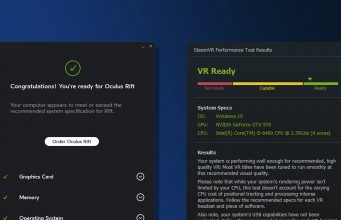
With content for Oculus Rift, HTC Vive and Windows ‘Mixed Reality’ VR headsets maturing since their respective launches, there’s more reason than ever to finally jump into VR—especially now that headsets have come down in price. For the gamers out there who are beginning to consider purchasing a headset, one major question marks the starting point on their journey to a decision: can my PC handle it? Here’s how to find out.
Update (January 24, 2019): Included recommended specs for HTC Vive Pro, Pimax headsets, and updated info on Oculus Rift.
VR gaming is much more resource intensive than monitor gaming. In short, that’s because the render resolution (2560×1200 for first-gen headsets) is much higher than the 1080p displays used by most PC users today. Not to mention, VR games must also be rendered in 3D, and first-gen VR headsets require a constant demanding 90 FPS, otherwise the image insider will stutter uncomfortably.
Both Oculus and Valve/SteamVR/HTC have provided what they call a “recommended” hardware configuration for virtual reality gaming. This gives developers a baseline hardware target so that they can ensure the consistent 90 FPS requirement is met. If your hardware does not meet the recommended specification, you risk dropping under 90 FPS which generally results in a very uncomfortable VR experience.
Both specs are nearly identical, but let’s take at each one and the tool each company provides to check to see if your computer is VR ready:
Oculus Rift Recommended VR Specifications (2019):
- Video Card: NVIDIA GTX 1060 / AMD Radeon RX 480 or greater
- CPU: Intel i5-4590 equivalent or greater
- Memory: 8GB RAM or more
- Video Output: Compatible HDMI 1.3 video output
- USB Ports: 3x USB 3.0 ports plus 1x USB 2.0 port
- OS: Windows 10 (Windows 7/8.1 no longer recommended)
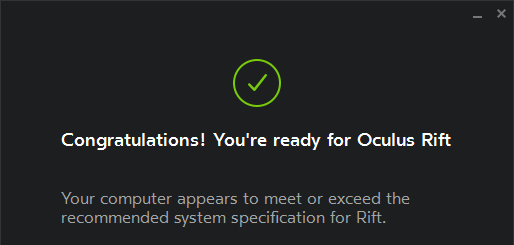
Check your PC: Oculus offers the Oculus Compatibility Check app to automatically check your computer’s specs against their recommendation.
Valve / SteamVR / HTC Vive Recommended VR Specifications (2019):
- Video Card: NVIDIA GTX 1060 / AMD Radeon RX 480, equivalent or better
- CPU: Intel i5-4590 / AMD FX 8350 equivalent or greater
- Memory: 4GB RAM
- Video Output: HDMI 1.4 or DisplayPort 1.2 or newer
- USB Port: 1x USB 2.0 or greater port
- OS: Windows 7 SP1, Windows 8.1 or later, Windows 10

Check your PC: Valve offers the SteamVR Performance Test app which actually benchmarks your machine to see if it can handle VR games built to their spec in practice. Since the Oculus and Steam VR specs are so similar, running this app may be helpful to identify bottlenecks for either.
HTC Vive Pro Recommended VR Specifications (2019):
- Video Card: NVIDIA GeForce GTX 1070, Quadro P5000, AMD Radeon Vega 56, equivalent or better
- CPU: Intel i5-4590 / AMD FX 8350 equivalent or greater
- Memory: 4GB RAM or more
- Video Output: DisplayPort 1.2 or newer
- USB Port: 1x USB 3.0 or newer
- OS: Windows 10
Check your PC: Valve’s SteamVR checker tool gives us a good baseline for VR headsets first shipped in 2016, although doesn’t offer any insight to how your system might fare with a higher resolution headset. Note: the company’s Vive Quick Compatibility Check tool isn’t specific to Vive Pro, so unfortunately you’ll have to refer to the specs above.
Windows VR Recommended VR Specifications (2019):
Windows Mixed Reality Ultra PCs (graphics intensive)
- Video Card: NVIDIA GTX 960/1050 (or greater) DX12-capable discrete GPU AMD RX 460/560 (or greater) DX12-capable discrete GPU
- CPU: Intel Core i5 4590 (4th generation), quad-core (or better) AMD Ryzen 5 1400 3.4Ghz (desktop), quad-core (or better)
- Expected Frame Rate: 90 fps
- Memory: 8GB DDR3 (or better)
- Video Output: HDMI 2.0 or DisplayPort 1.2
- USB Port: USB 3.0 Type-A or Type-C
- OS: Windows 10 Fall Creators Update or later
Windows Mixed Reality PCs (non-intensive apps)
- Video Card: Integrated Intel HD Graphics 620 (or greater) DX12-capable integrated GPU, NVIDIA MX150/965M (or greater) DX12-capable discrete GPU
- CPU: Intel Core i5 7200U (7th generation mobile), dual-core with Intel Hyper-Threading Technology enabled (or better)
- Expected Frame Rate: 60 fps
- Memory: 8GB DDR3 dual channel (or better)
- Video Output: HDMI 1.4 or DisplayPort 1.2
- USB Port: USB 3.0 Type-A or Type-C
- OS: Windows 10 Fall Creators Update or later

Check your PC: Microsoft offers the Windows Mixed Reality PC Check app which actually benchmarks your machine to which category your machine fits into.
Pimax “5K” & “8K” Recommended VR Specifications (2019)
- Video Card: NVIDIA GTX 1070 or later (“5K” series), NVIDIA GTX 1080Ti or later (“8K” headset)
- CPU: Intel i5 and equivalent, or later
- Memory: 8GB RAM or more
- Video Output: DisplayPort 1.4
- USB Port: USB2.0/3.0
- OS: Windows 7 SP1 (64bit), Windows 10 (64bit)
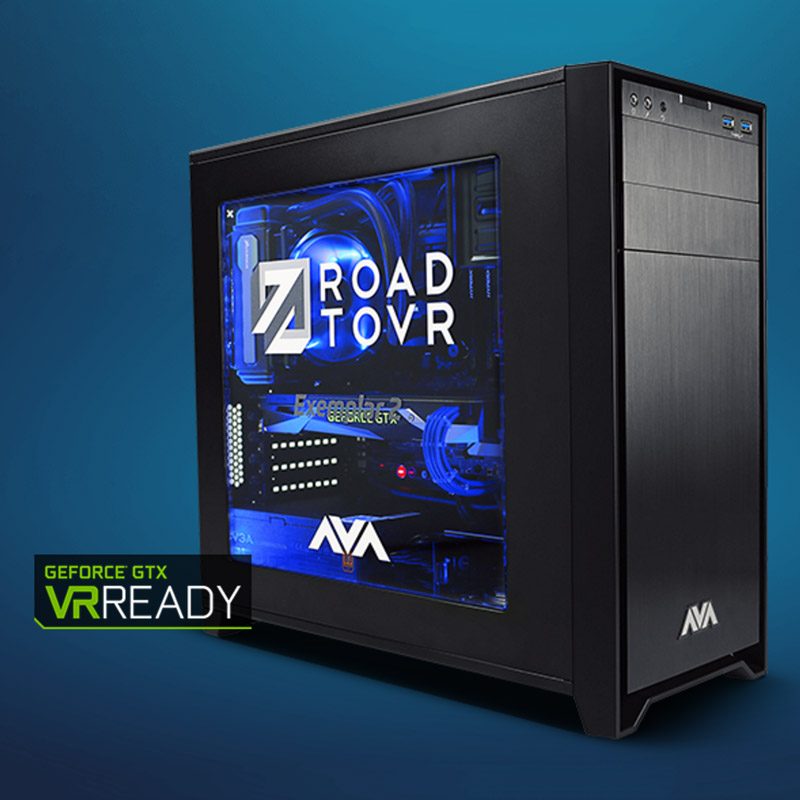 Looking for a PC that goes above and beyond the baseline specs? We partnered with AVA Direct to create the Exemplar 2, our high-end VR hardware reference point against which we perform our tests and reviews. Exemplar 2 is designed to push virtual reality experiences above and beyond what’s possible with systems built to lesser recommended VR specifications.
The post How to Tell if Your PC is VR Ready appeared first on Road to VR.